Delete a Workspace
Deleting a workspace is permanent and irreversible. Make sure you fully understand what this action does before proceeding.
What Happens When You Delete a Workspace
Once a workspace is deleted:
- Everything inside is gone permanently — all pages, databases, and files, including your private content
- All members immediately lose access — no one in the workspace can retrieve anything from it
- You're redirected to another workspace you belong to, or back to the Closot signup page if you have no others
warning
This action cannot be undone. If there's any content you want to keep, export it before proceeding.
How to Delete a Workspace
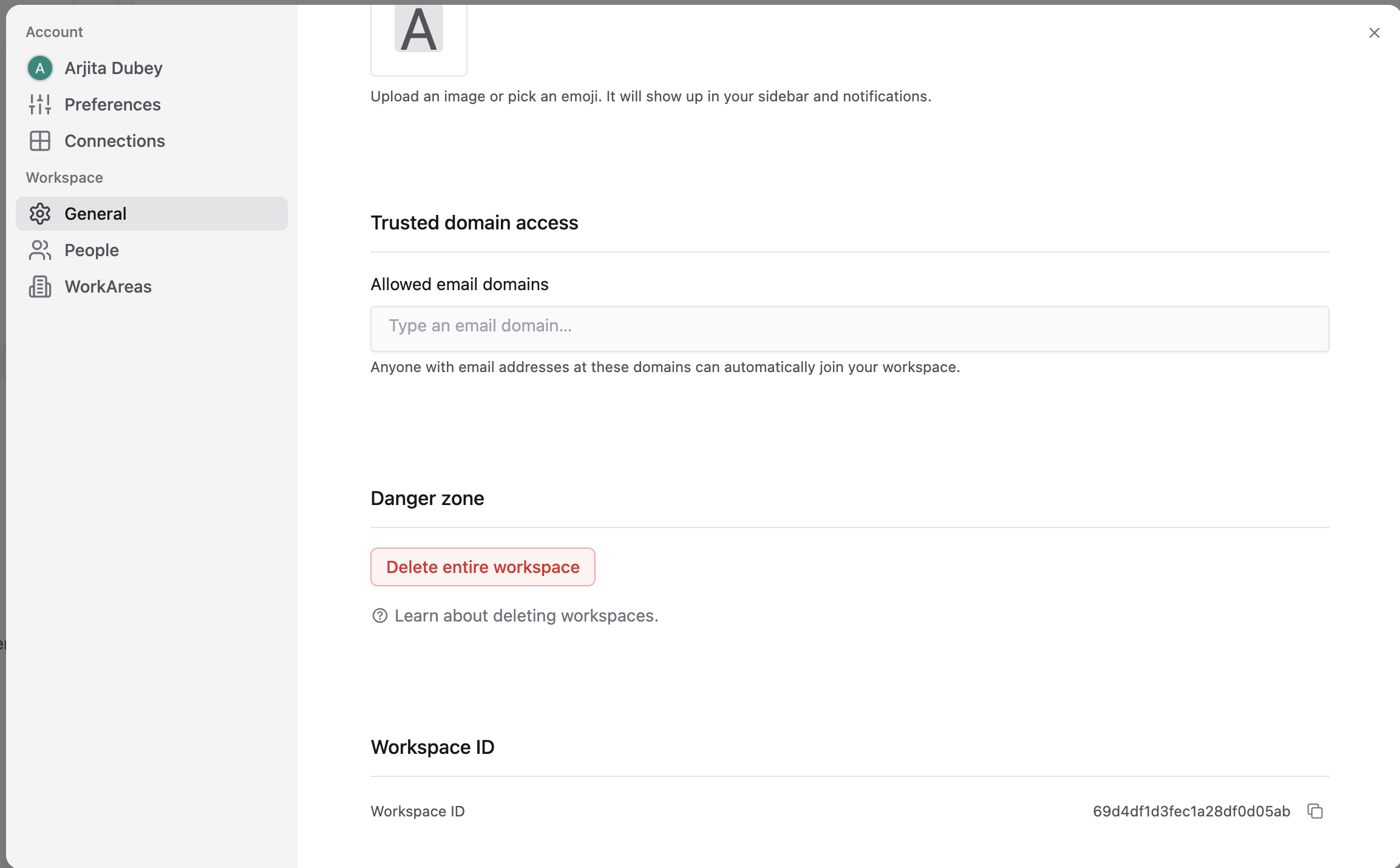
- Go to Settings in your sidebar
- Under Workspace, select General
- Scroll down to the Danger zone section
- Click Delete entire workspace
- Type your workspace name to confirm
Back to: Workspaces on mobile