Inbox & Notifications
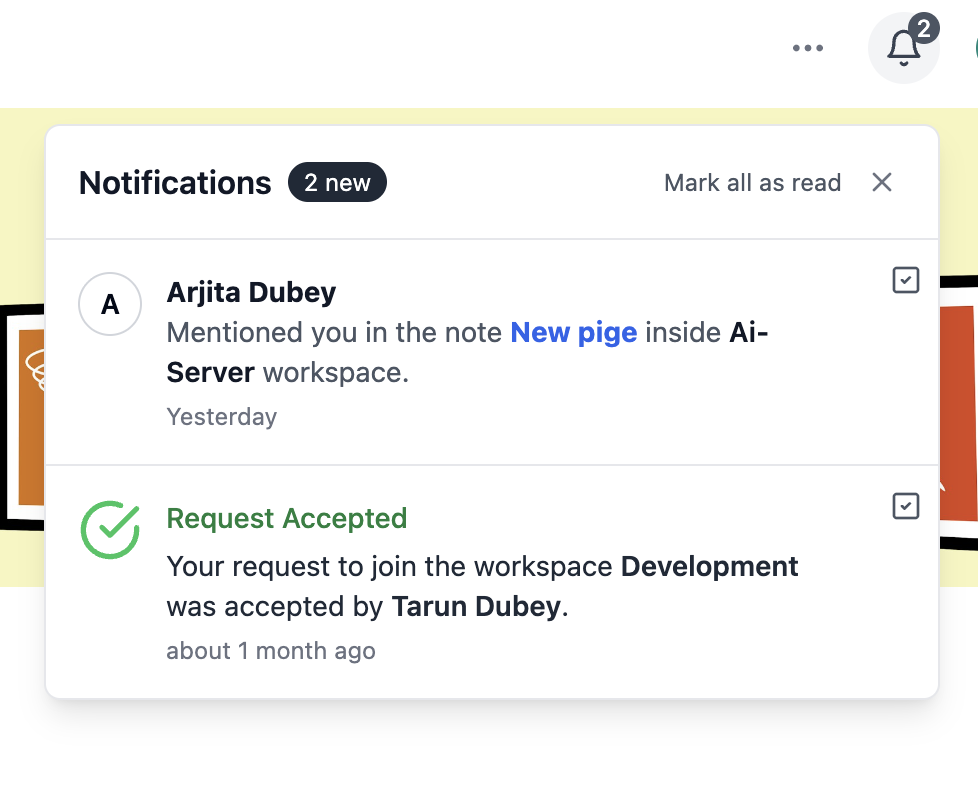
The more your team uses Closot, the more valuable the Inbox becomes. It's a single place to track everything happening across your workspace that's relevant to you — mentions, replies, page invitations, reminders, and more — all organized by page and comment thread so nothing gets lost.
What Triggers an Inbox Notification
You'll receive an Inbox notification when:
- Someone @-mentions you in a page or comment
- Someone replies to a comment thread you're part of
- You're set to receive All comments notifications on a specific page
- You're added to a Person property in a database
- A reminder you set (or that someone set for you) goes off
- You're invited to a page
Desktop & Mobile Notification Timing
- Desktop notifications appear approximately 10 seconds after an @-mention
- Mobile notifications fire if the mention hasn't been viewed within 5 minutes, or if the app isn't open at the time
Using Your Inbox
Navigate Notifications
Click any notification in your Inbox to jump directly to the relevant location on the page — whether it's a comment, a mention, or a reminder.
Filter Notifications
Use the filter options at the top of the Inbox to view:
- Unread and read
- Unread only
- Archived
- All workspace updates
Manage Individual Notifications
Hover over any notification and click ••• to:
- Mark as read or unread
- Archive the notification
- Change notification settings for that page
Keep the Inbox Open
Toggle Lock inbox pane open to keep your Inbox visible as a side panel while you work — useful during high-activity periods when you're monitoring multiple conversations at once.
Bulk Archive
Use Archive read to clear all already-read notifications in one click, or Archive all to start fresh. Archived notifications remain accessible under the Archived filter.
Inbox on Mobile
The Closot mobile app supports gesture-based notification management:
| Gesture | Action |
|---|---|
| Swipe right | Mark as read or reply |
| Long swipe right | Mark as read |
| Swipe left | Open settings or archive options |
| Long swipe left | Archive |
| Long press | Add emoji reaction |
Notification Settings Per Page
Standard Pages
Click ••• at the top of a page → Notify me → choose:
- All comments — get notified every time anyone comments on this page
- Replies and @mentions — only get notified when someone replies to your comments or mentions you directly
Database Pages
For individual pages within a database, notification granularity goes deeper:
- All updates — includes both comments and property value changes
- Important updates — comments plus changes to Status, Assignee, and Due Date properties
- Replies and @mentions — the minimum: only direct replies and @-mentions
Person Property Notifications
When a database has a Person property, clicking the property name lets editors configure notification behavior for that field:
- Users and groups — both individual users and groups receive notifications when added
- Users only — only individual users receive notifications (groups are skipped)
- None — no notifications are sent when someone is added to this property
The default is Users only — this reduces notification noise for members of large groups who would otherwise receive alerts every time anyone is added to a shared property.
Slack Integration
You can connect Closot to Slack to receive notifications for important workspace activity directly in your Slack channels. Configure this in your workspace integrations settings.