Workspace Settings
Workspace settings cover everything that applies to the workspace as a whole rather than to you personally — its name and icon, who's allowed to join, and what happens when it's time to shut it down.
Open Settings → General.
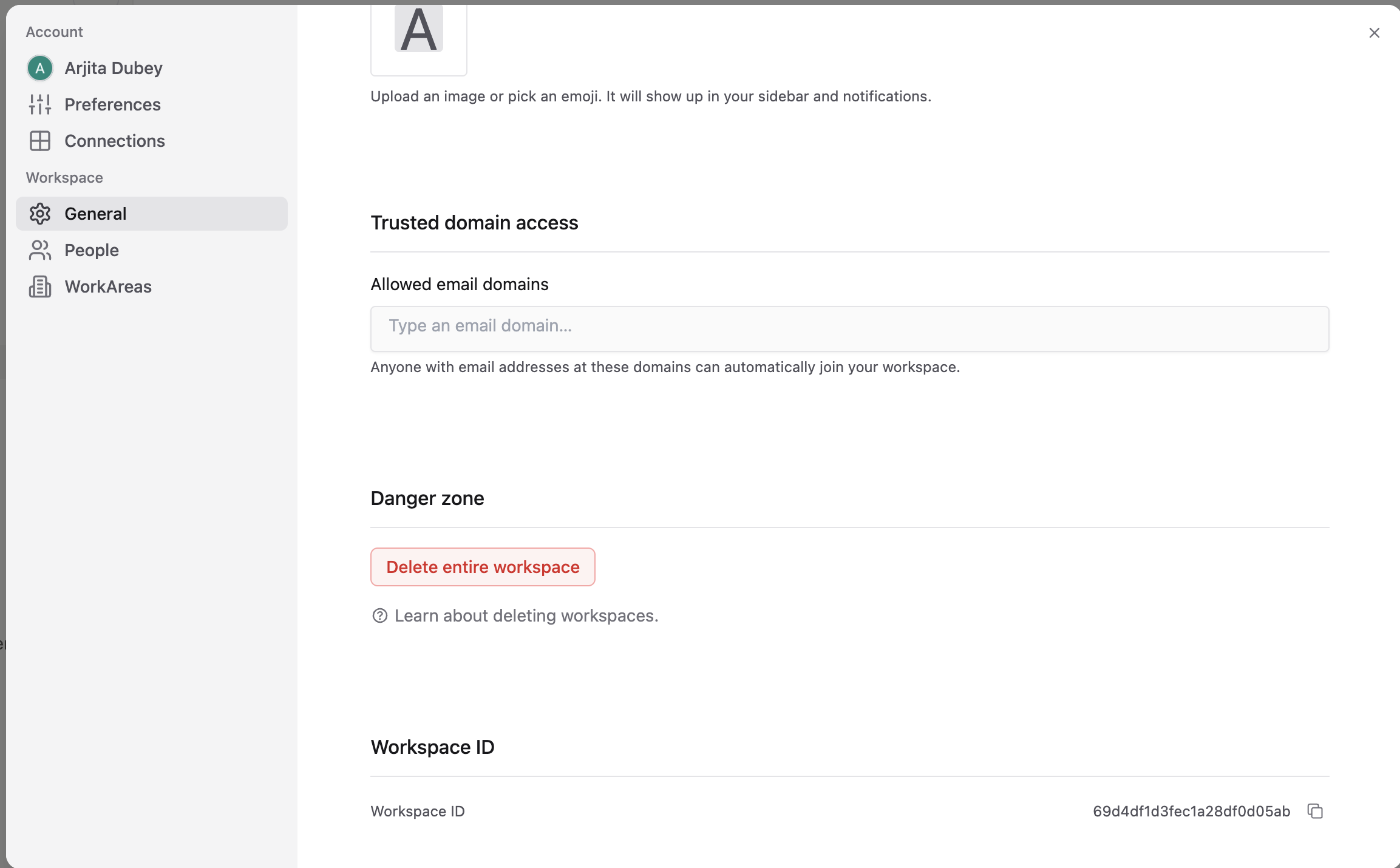
Name and Icon
Your workspace name and icon are the first things members see when switching between workspaces. Keeping them accurate helps everyone orient quickly, especially when people belong to several workspaces at once.
- Open Settings → General
- In the field under Name, type the new workspace name — your organization or company name usually works best, kept short
- Under Icon, click the current icon and either choose an emoji or upload an image
Changes take effect immediately and are visible to every member in the workspace switcher and throughout the interface.
Control Who Can Be Invited
Membership settings determine which email addresses members are allowed to invite. This is how you keep a workspace scoped to your organization rather than open to anyone.
| Option | Who can be invited |
|---|---|
| Only people with your domain's emails | Members and admins can invite only addresses matching your workspace's organization domain |
| People from your organization or an allowed domain | Extends the above to include any additional domains you list — useful for contractors, agencies, or a sister company |
| Any email address | Any member can invite anyone, regardless of domain |
Only the workspace owner can change this setting. Members and admins can invite people within whatever policy is set, but can't change the policy itself.
For the mechanics of sending invitations and managing people once they've joined, see Manage Members & Guests.
Workspace ID
Each workspace has a unique identifier, shown at the bottom of the General panel. You'll rarely need it day to day, but it's the fastest way to identify a specific workspace unambiguously when contacting support — particularly if you belong to several with similar names.
Delete a Workspace
Deleting a workspace is permanent and removes its content for every member. The option lives in the Danger zone at the bottom of the General panel.
Because this can't be undone, read Delete a Workspace first — it explains exactly what's removed and what to export beforehand.