What is a block?
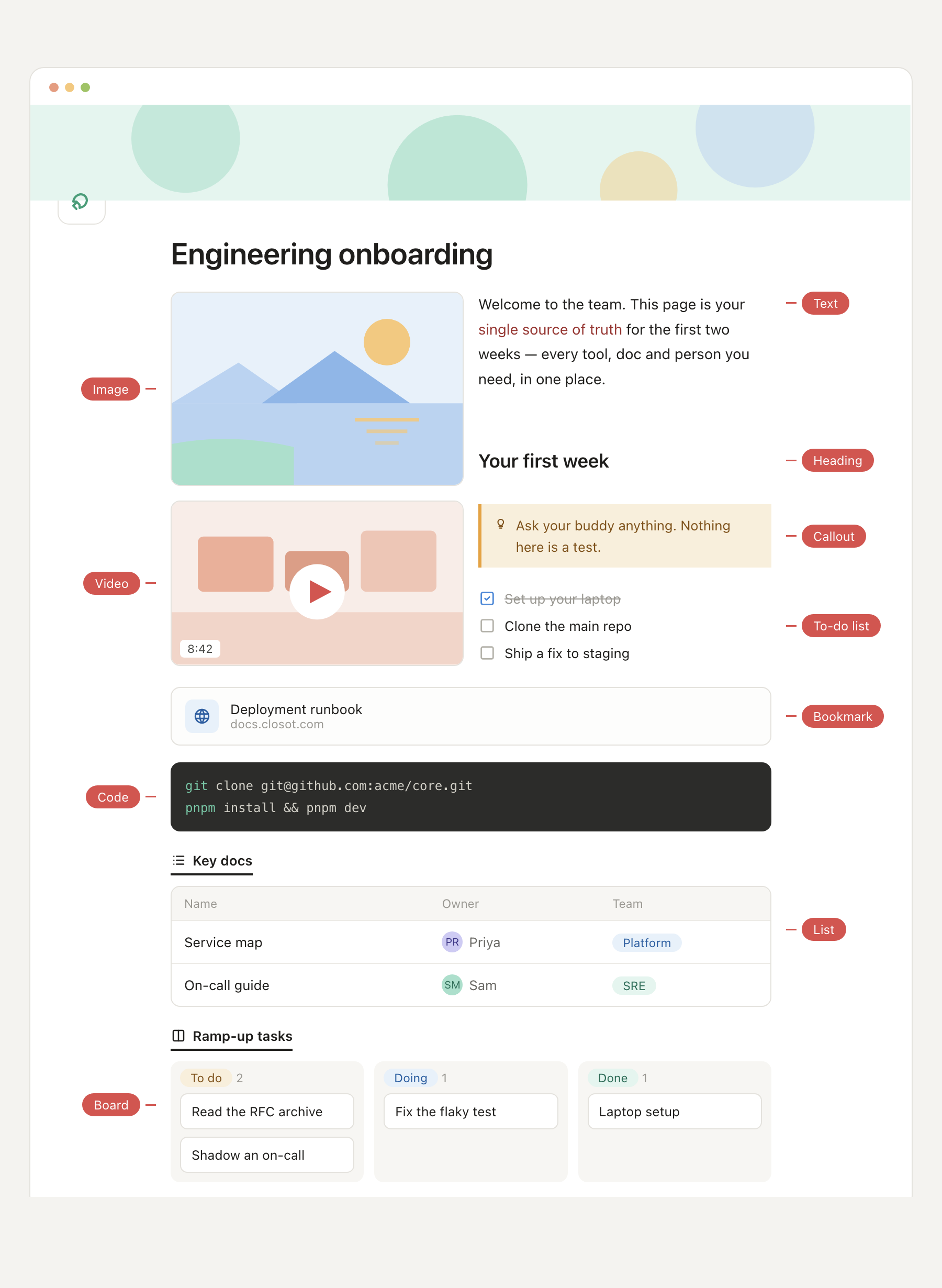
In Closot, a block is the smallest unit of content on a page. A paragraph is a block. A heading is a block. Images, tables, code samples, and embeds are each their own block. Together they stack up to form whatever the page needs to be.
Why blocks?
⋮⋮
Turn into
Blocks make a page composable instead of linear. You aren't locked into the shape you started with — a heading can become a callout, a bullet list can turn into a to-do, and a paragraph can be pulled out and dropped somewhere else entirely. The page is assembled from parts you can pick up, swap, and re-type at any time.
What you can do with a block
- Insert — add a new block wherever the cursor sits, from any category in the block palette.
- Move — grab a block and drop it above, below, or beside another.
- Convert — change a block's type without losing or retyping what's inside it.
- Nest — indent a block under another to build hierarchy on the fly.
Press / anywhere on a page to pull up the full block palette. On mobile, the + button sitting above the keyboard does the same — both are the fastest way to browse every block type Closot can drop into a page.
A mental model
Think of a page as a short stack of index cards, not a scroll. Each card carries one idea and can be swapped out for any other. A block is one card in the stack — the page is the whole pile.