Create a Subpage
Closot doesn't use folders. Instead, you organize things by nesting pages inside other pages... inside other pages.
Create a Subpage
A subpage is simply a page that lives inside another page. You can create as many subpages as you want within any parent page.
Two ways to do it:
- Open the parent page and type the slash command
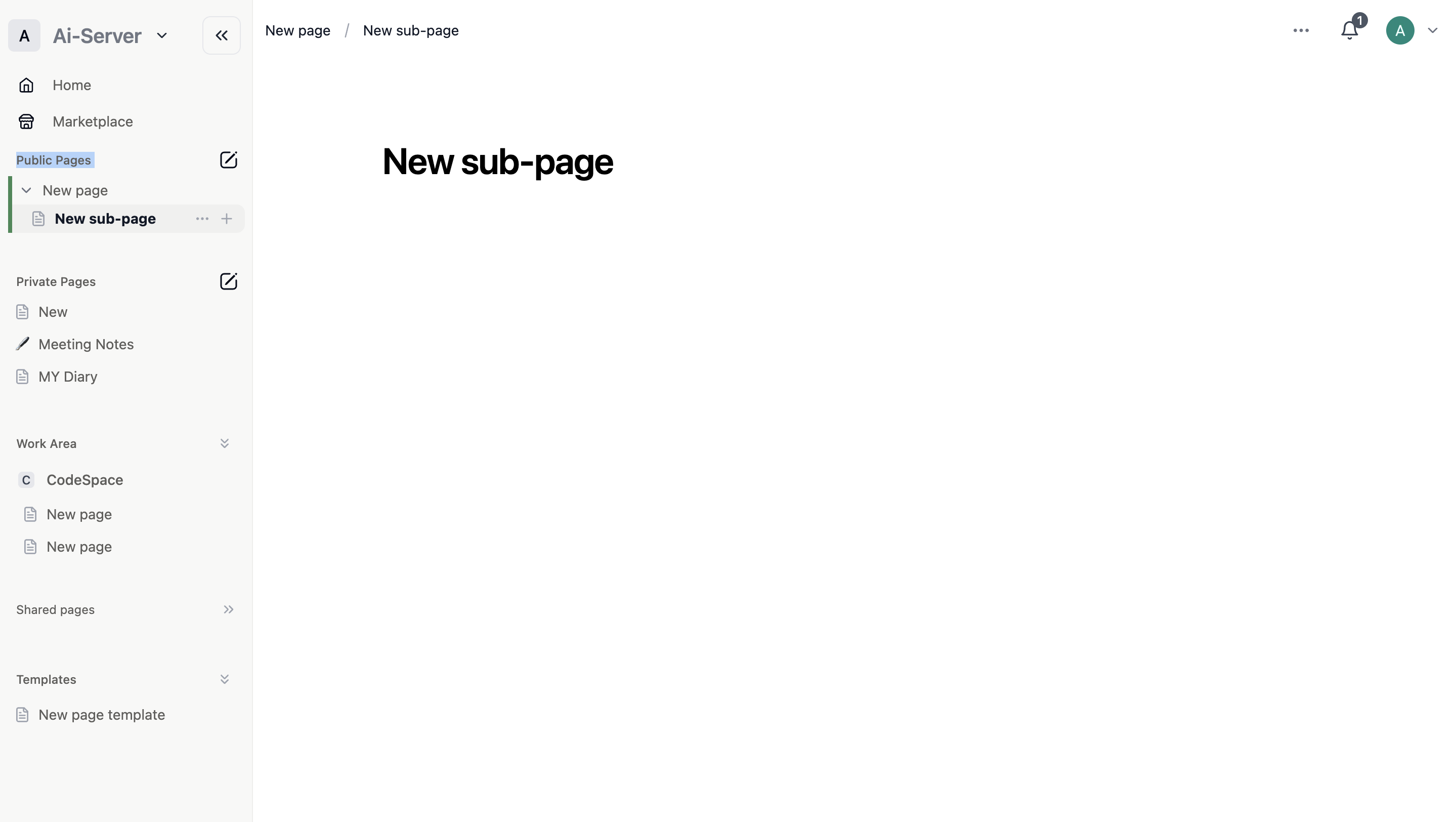
/pageto insert a new subpage inline - In the sidebar, hover over the parent page and click the
+icon that appears next to its name
Once the new subpage opens, give it a title and start adding content.
On desktop and web, a new empty page shows quick-start options at the bottom — shortcuts for importing, applying templates, creating tables, and more.
Navigate with Your Sidebar and Breadcrumbs
Sidebar: Click the toggle arrow next to any parent page in the sidebar to expand it and reveal its subpages listed underneath.
Breadcrumbs: At the top of every page, breadcrumbs show you exactly where you are in your page hierarchy — handy when you're several levels deep.
Rearrange Your Page Structure
You're not locked into the structure you start with. Reorganizing is straightforward:
- Remove a subpage from its parent: Click and drag it out of the parent's toggle in the sidebar
- Turn a page into a subpage: Click and drag it into another page in the sidebar
Up next: What is a database? — Databases are one of Closot's most powerful features for organizing and managing your content.