Dependencies
Dependencies let you express the order work has to happen in, so a schedule reflects reality instead of wishful thinking.
A dependency is a directional connection between two items that declares one task must be completed before another can begin. Dependencies are especially valuable for communicating sequential constraints across teams.
Example: In a website migration project, the task "Deploy to Production" cannot start until "Complete QA Testing" is finished. Setting this as a dependency means that if the testing deadline shifts, Closot can automatically adjust the deployment date to reflect the new timeline.
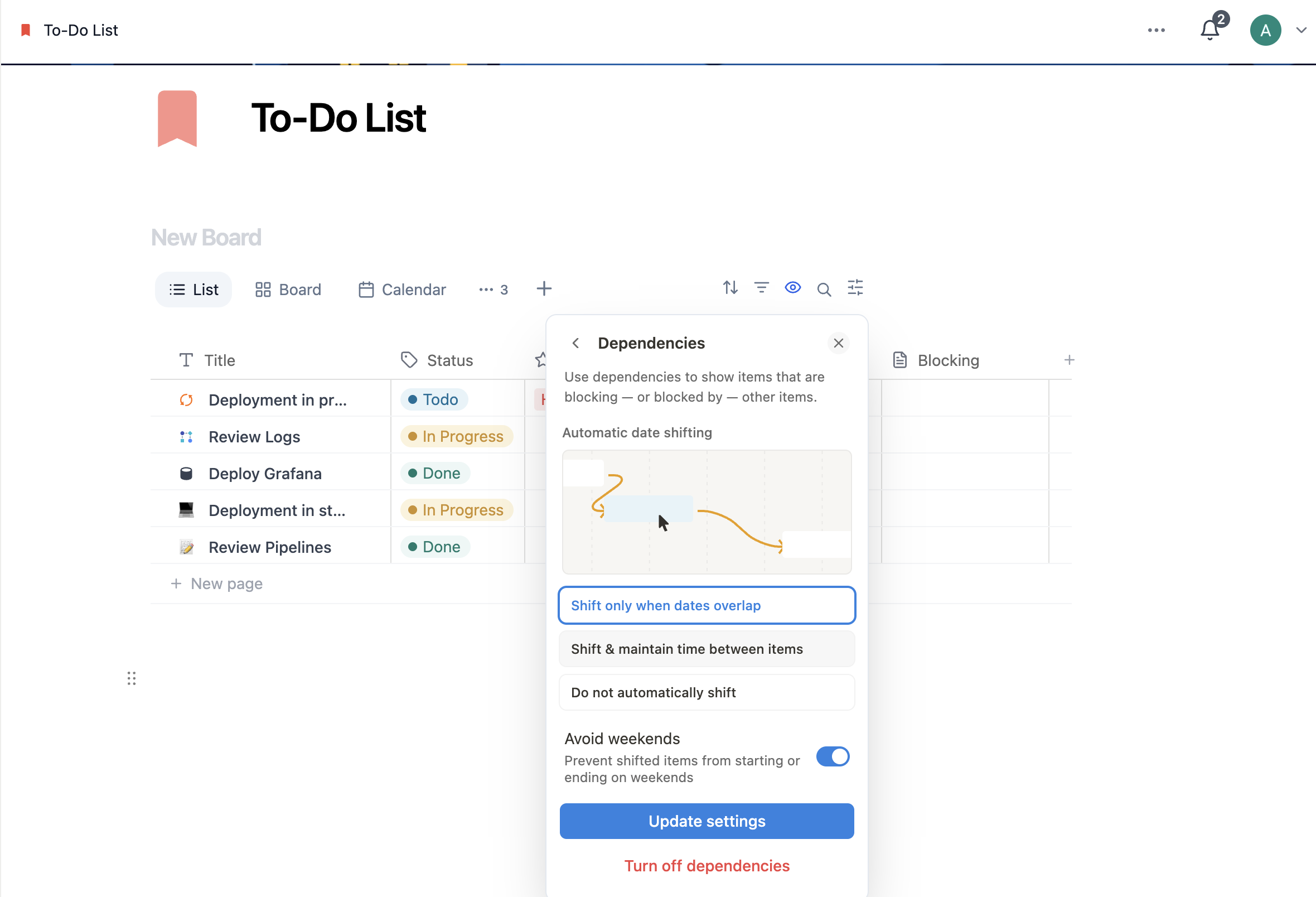
Add a Dependency
- Open settings → More settings
- Select Dependencies
- Choose your automatic date shifting behavior:
| Option | Behavior |
|---|---|
| Shift only when dates overlap | Dependent tasks only shift if their start date would now conflict with the blocker's end date |
| Shift & maintain time between items | If a blocking task shifts by one week, all dependent tasks shift by the same amount, preserving spacing |
| Do not automatically shift | Due dates never shift automatically — teams manage date changes manually |
- Choose whether to Avoid weekends — when enabled, automatically shifted dates will not land on Saturdays or Sundays
- Click Turn on dependencies
Once enabled, you can connect items using the dependency property that appears on each database page.
Change Dependency Date-Shifting Settings
- Open settings → More settings
- Select Dependencies
- Select a new automatic date-shifting option
- Toggle Avoid weekends on or off as needed
Up next: Sprints — Plan and run work in short, focused cycles.